Registering with Newsload
To create a Newsload account, you need to register with a Newsload network.
You have two options:
Option 1: Find a Network via the Discover Page
-
Visit the Discover page at newsload.com/discover.
-
Select a network that suits you or your organization.
-
Click “Sign Up Now”
The sign-up dialog will open.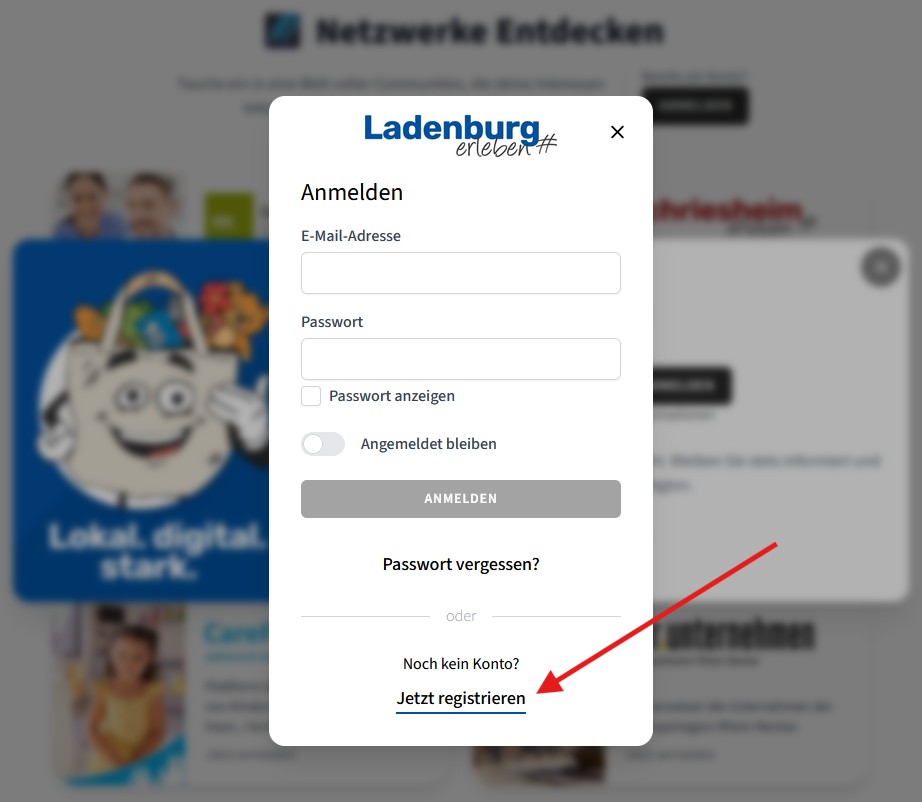
-
Click “Register Now”
You will be redirected to the network’s registration page. -
Fill out the form
Choose your user profile type, depending on whether you want to register a new organization or as a private user for the network.infoNetworks can decide for themselves whether they allow only private users, organizations, or both.
-
Confirm your email address
You will receive an email with a confirmation link. -
Wait for network approval
If you registered a new organization, you will need to wait for approval from the network. You will be notified once the review is complete.
Option 2: Invitation via Link
If you have been invited by an organization or network, you will receive a registration link by email or chat.
- Click the registration link
- Create your account
What happens next?
After registration, you will automatically:
- Become part of the selected network
- Be linked to your organization (if applicable)
You can edit your account at any time and join additional organizations or networks.